Capture daily activity
Record important field information while details are still current.
 CrewGapCLOSE THE GAP
Construction Daily Reporting
Centralize daily reports so crews, delays, materials and job activity do not disappear into paper notes, calls or disconnected messages.
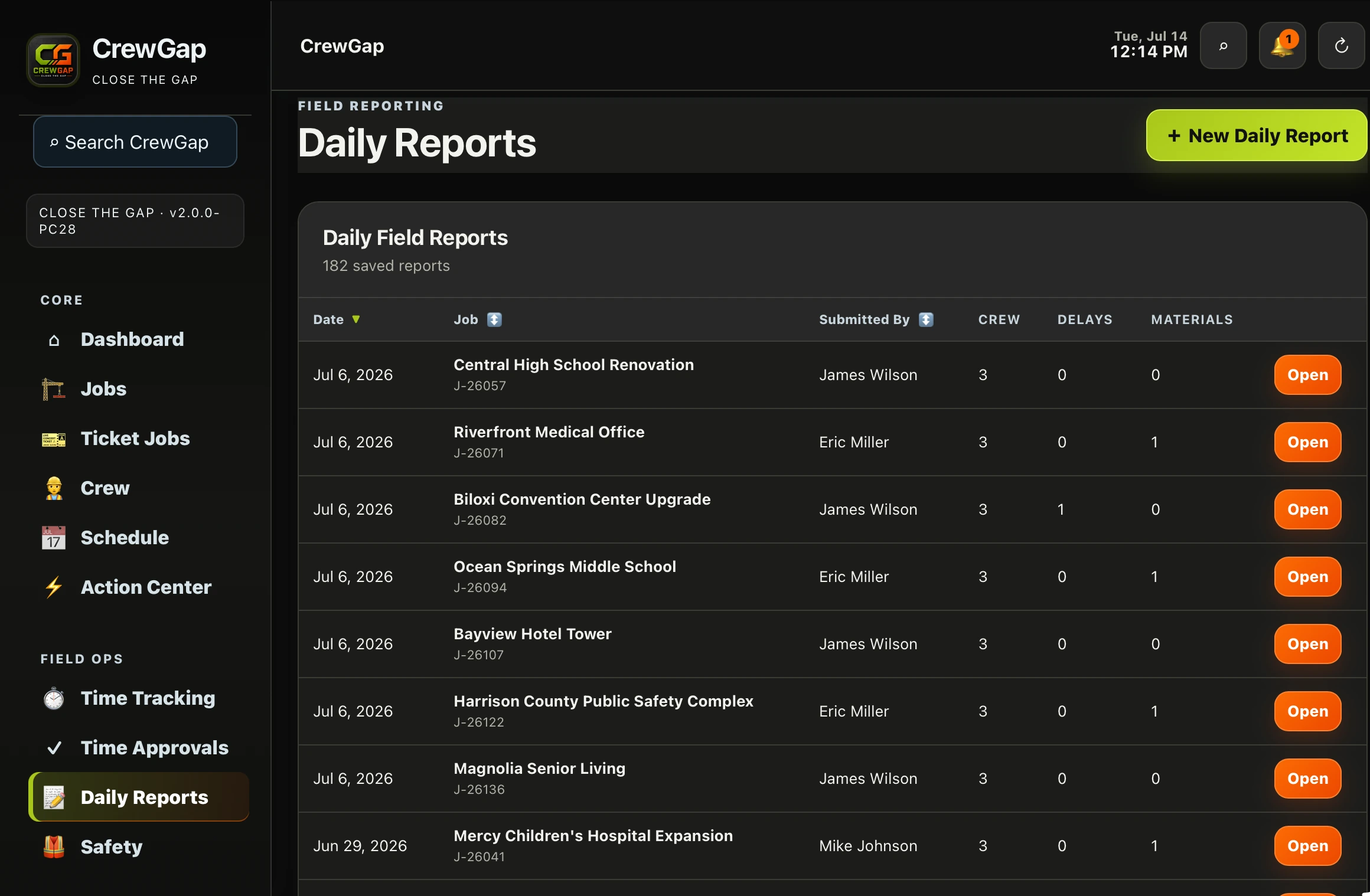 REAL CREWGAP INTERFACE
STRAIGHT ANSWER
BUILT FOR DAILY OPERATIONS
Record important field information while details are still current.
Keep the daily record with the project it supports.
Give office staff a dependable view of field activity.
HOW IT WORKS
Start in the context of the correct project.
Document crews, delays, materials and other information.
Use the report later without reconstructing calls and messages.
CONNECTED CAPABILITIES
Keep employee records, roles and assignments connected.
Learn more →Move field hours through approvals toward payroll.
Learn more →Preserve field activity as a usable job record.
Learn more →COMMON QUESTIONS
A useful report records crews, delays, materials, progress and other jobsite activity the office may need later.
Yes. CrewGap is designed to keep daily field records connected to active work.
Yes. A consistent record preserves details after conversations and calls end.
CLOSE THE GAP