Jobs & project control
Track active jobs, manpower, crews, man-hours and project activity from a central view.
Explore job control → CrewGapCLOSE THE GAP
BUILT FOR CONSTRUCTION OPERATIONS
CrewGap brings crews, jobs, time, daily reporting, equipment and operational visibility into one focused platform built around the way construction teams actually work.
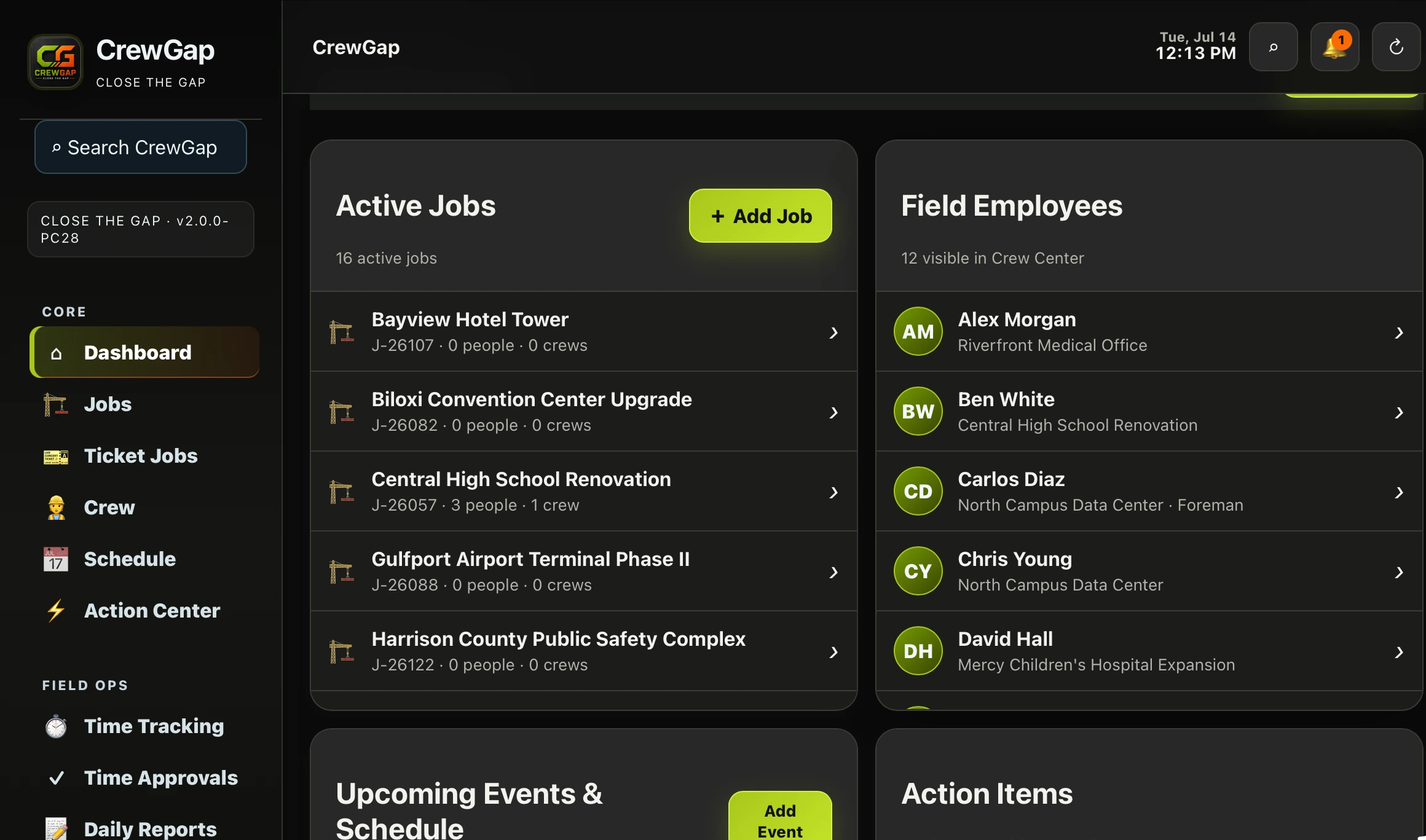
CrewGap is designed to reduce the disconnect between the field and the office. The platform gives construction teams one place to organize work, people, time and day-to-day operational data.
Track active jobs, manpower, crews, man-hours and project activity from a central view.
Explore job control →Organize employees, reporting structure, crew assignments and field roles.
Explore workforce management →Capture field time, review approvals, surface exceptions and prepare payroll-ready data.
Explore time tracking →Keep daily reports, equipment, fleet and operational records connected to the work.
Explore daily reports →HOW CREWGAP WORKS
CrewGap gives construction companies a clear path from company setup to day-to-day field and office operations.
Add employees, company information, jobs, vehicles and the operational details your team needs.
Control individual permissions, organize crews, assign supervisors and connect employees to the right jobs.
Track time, schedules, reports, equipment, fleet activity and job information from one connected platform.
REAL SCREENS. REAL WORKFLOWS.
Every product image below is from the working CrewGap application.
See active projects, crew counts, people and man-hours without digging through disconnected systems.
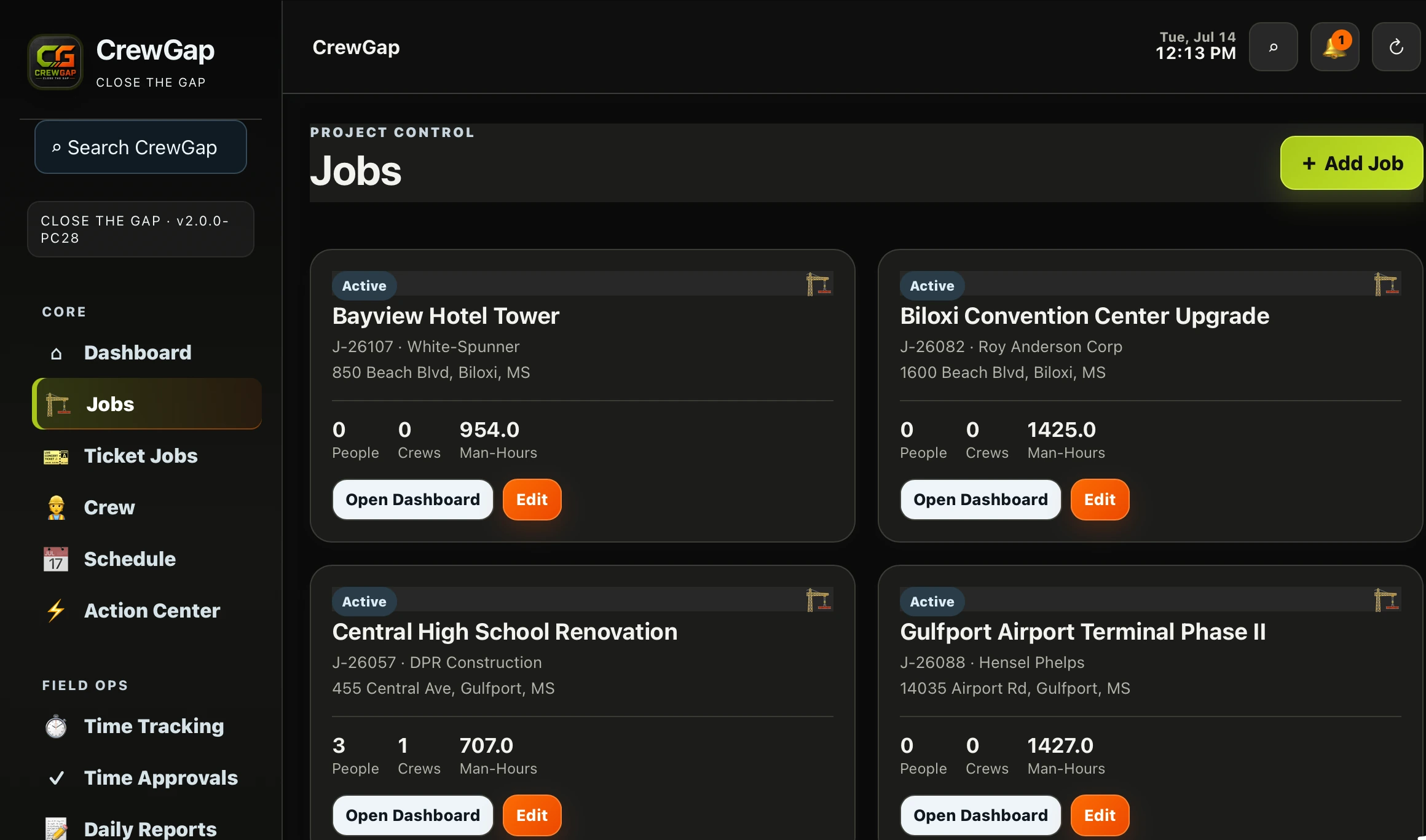
Manage employee profiles, assignments, qualifications, supervisors and individual access from one place.
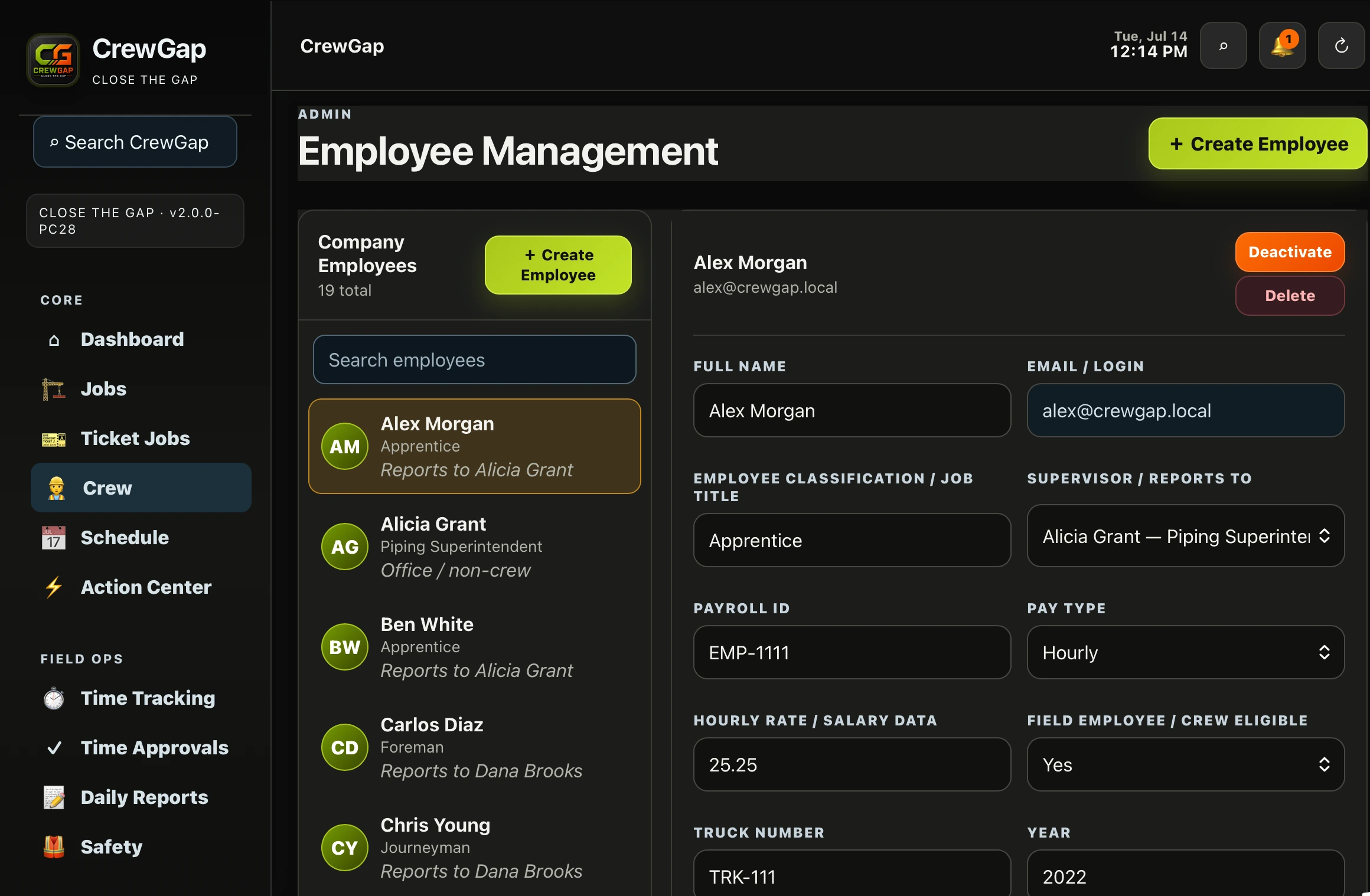
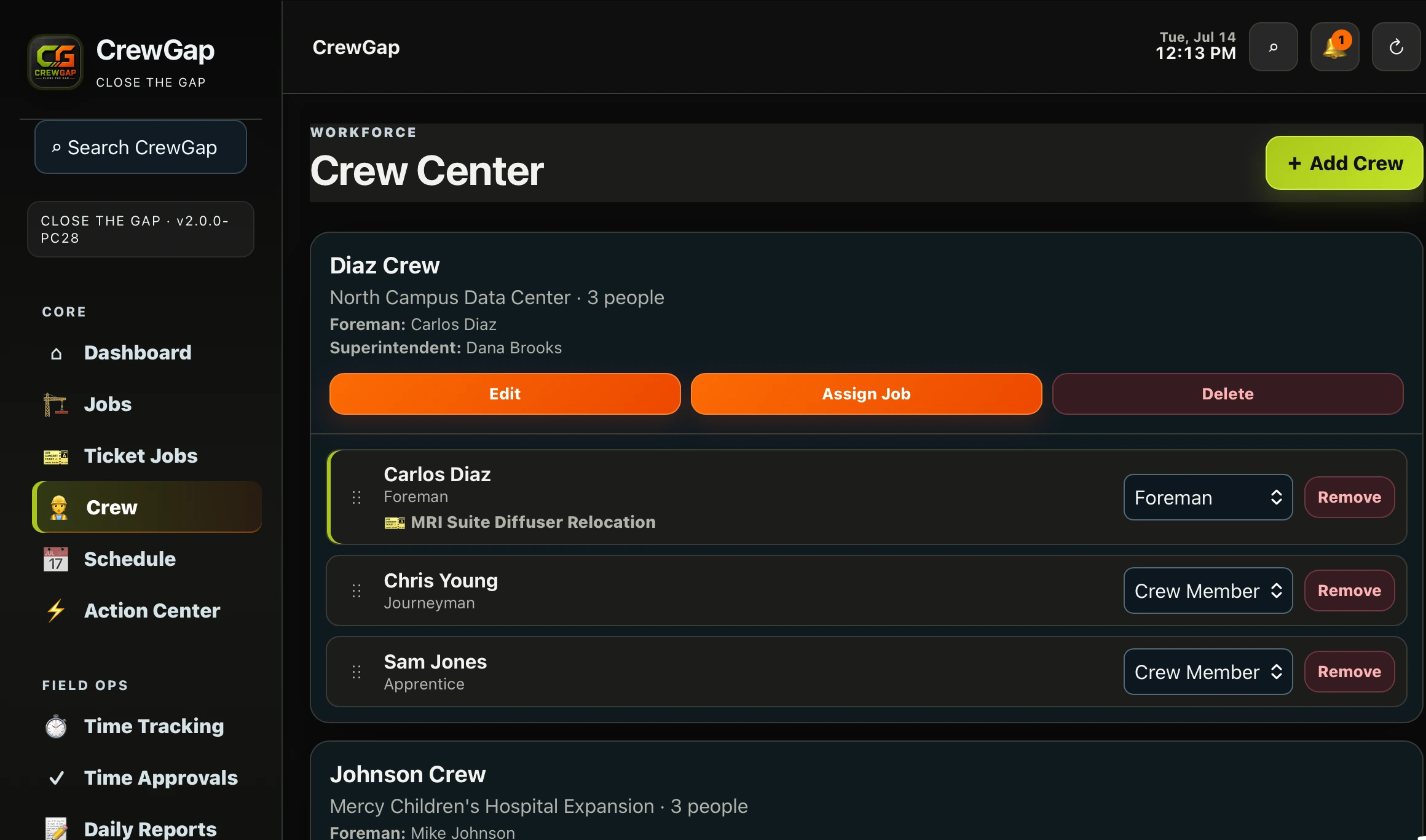
Organize field teams, foremen, superintendents and active job assignments.
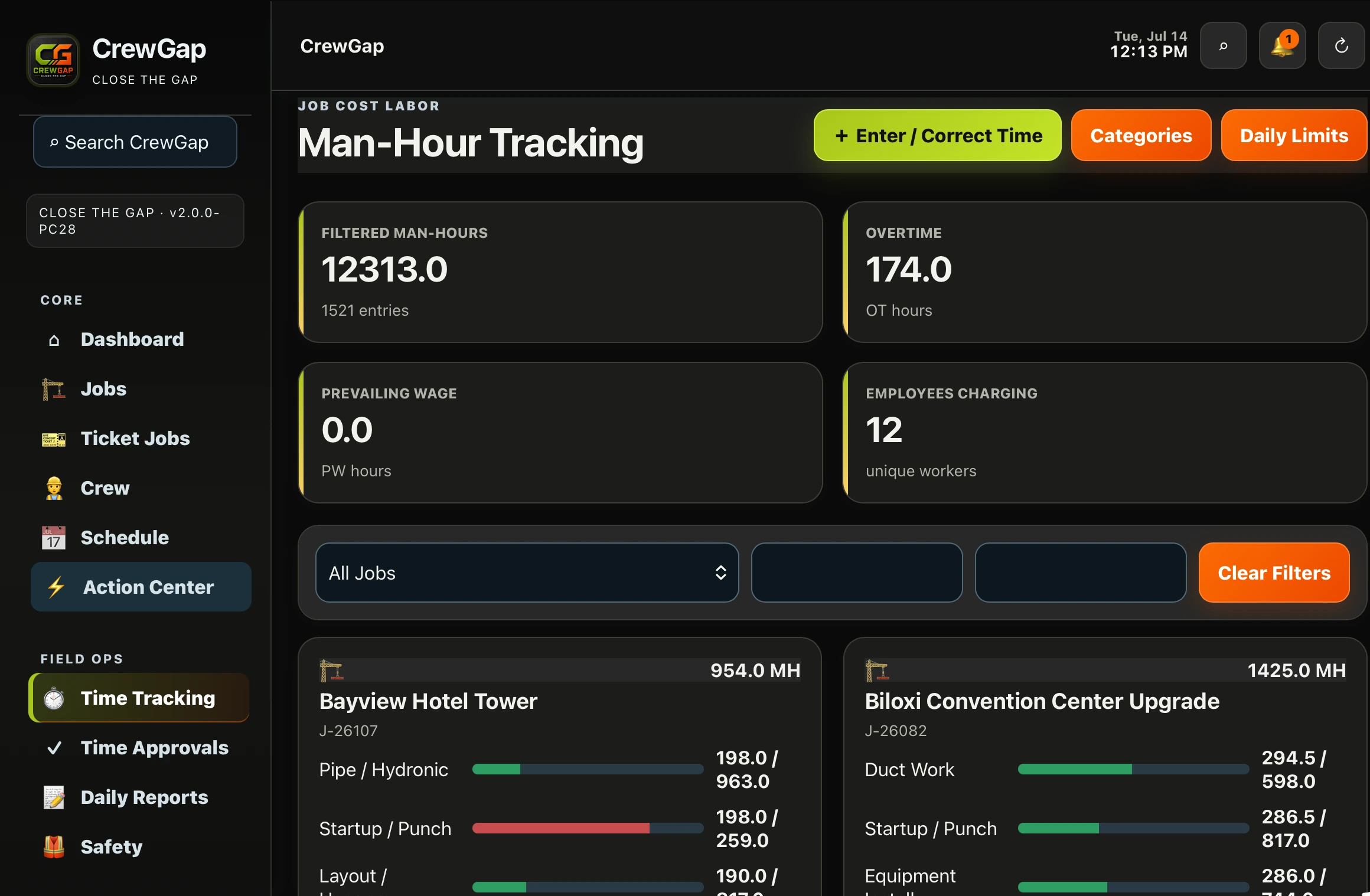
Monitor job labor by category and spot where work is moving ahead or falling behind.
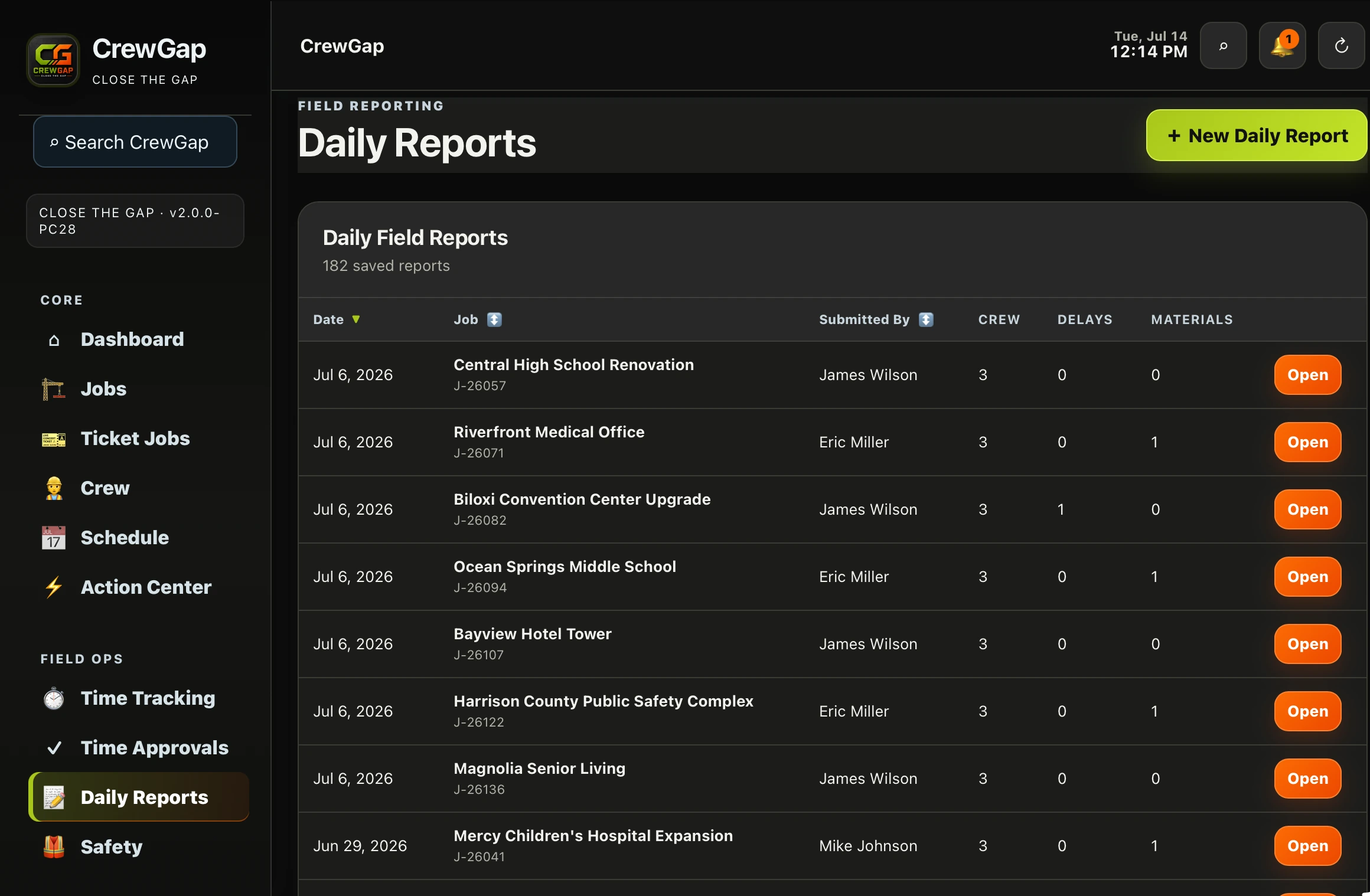
Centralize daily field reports, crews, delays and material activity.
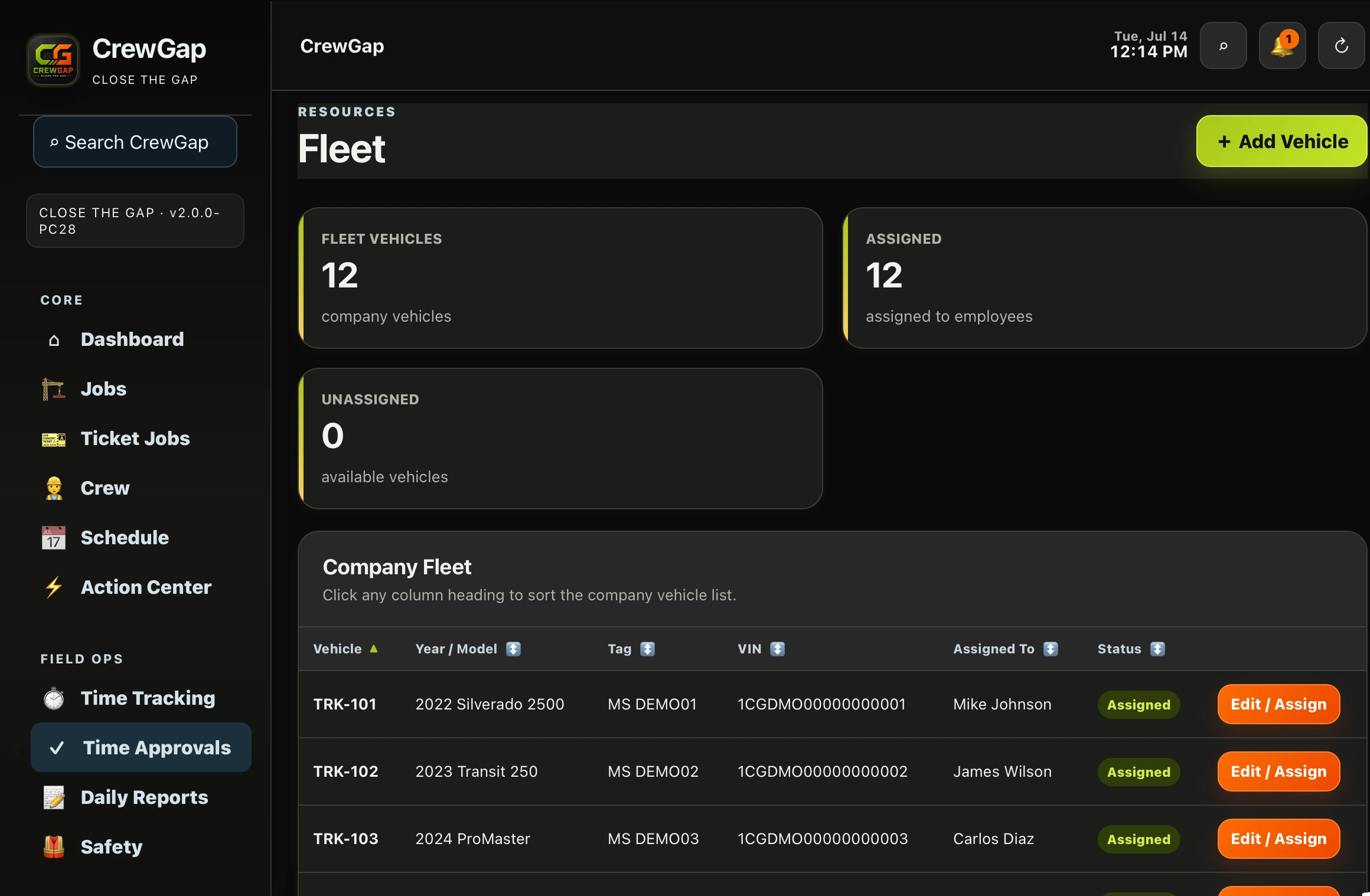
See company vehicles, assignments and availability from one clean operational view.
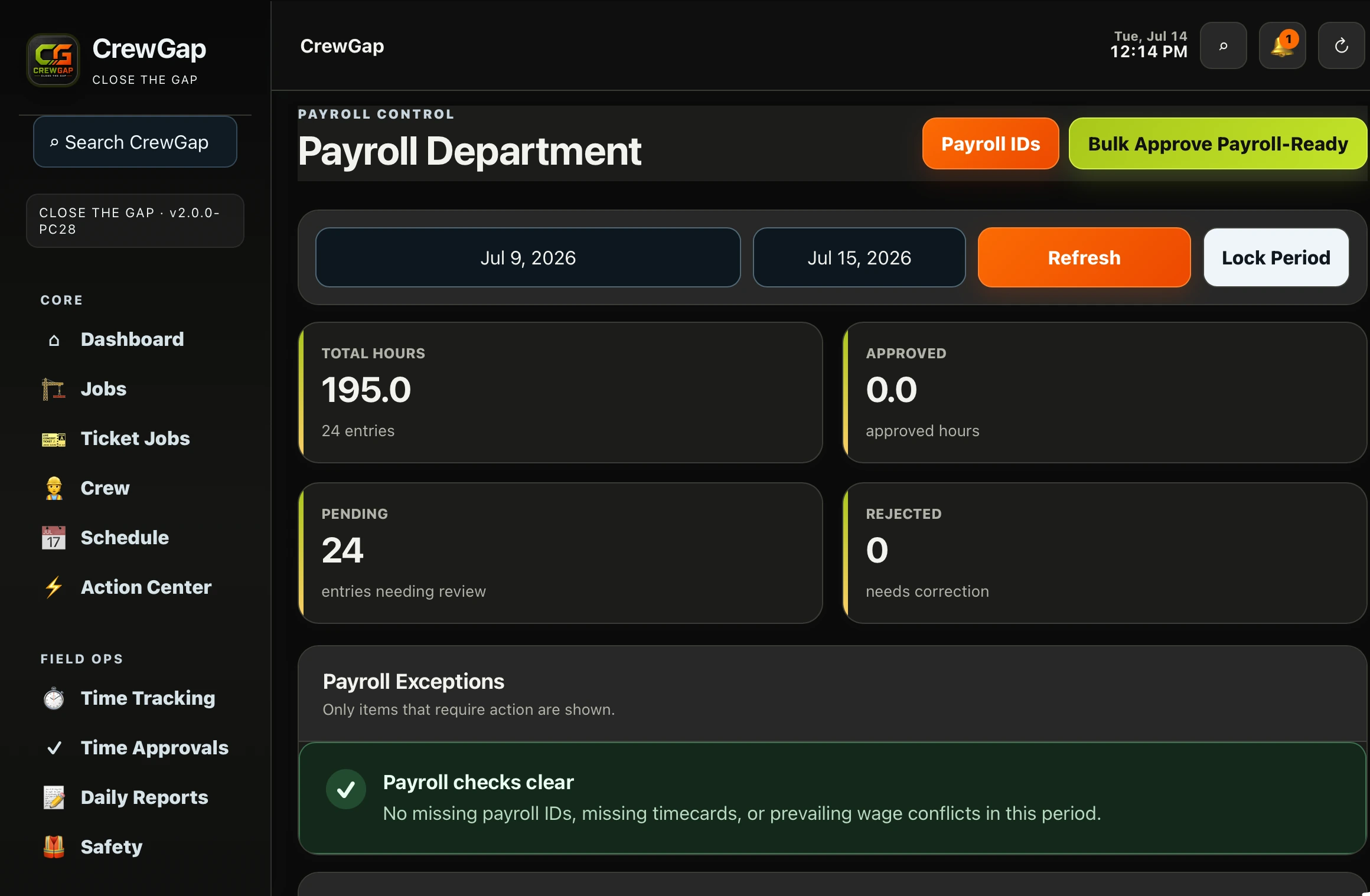
Review totals, pending entries and exceptions before the pay period closes.
CONSTRUCTION OPERATIONS, CONNECTED.
CrewGap gives construction companies a single operational system that connects office and field teams without burying users in unnecessary complexity.
SECURITY & ACCESS CONTROL
CrewGap is built around individual user access, so companies can decide what each person can view, manage and approve. Access can be adjusted as responsibilities change without giving every user company-wide control.
Each user signs in with their own account instead of sharing a company-wide login.
Authorized administrators can assign access based on each employee's responsibilities.
Supervisors and field users can be limited to the crews, employees and work they are responsible for.
User access can be updated, deactivated or restored as staffing and responsibilities change.
PRICING
Plans combine team-size limits with the CrewGap features your company needs. Contact CrewGap to confirm the current feature set for each plan.
BASE PLAN
$139/month
UP TO 15USERS
MOST POPULAR
PRO PLAN
$249/month
16–25USERS
CUSTOM PLAN
$399/month
26+USERS
SETUP OPTIONS
Remote onboarding and initial system setup.
On-site setup and onboarding priced by location.
WHY CREWGAP
At CrewGap, our mission is to close the gap between the field and the office by giving construction companies one simple, reliable platform to manage their people, projects, and daily operations.
Built by someone who has worked in the construction industry, CrewGap was created to solve the real problems contractors face every day—communication breakdowns, lost paperwork, inaccurate time tracking, scheduling conflicts, and disconnected job information.
We believe construction software should be practical, easy to use, and built around the way crews actually work. Our goal is to help companies save time, reduce costly mistakes, improve accountability, and keep every project moving forward.
Whether you're managing a small crew or a growing workforce, CrewGap is committed to providing dependable tools that help you build more efficiently, communicate more clearly, and bridge the gap between the office and the jobsite.
Learn why CrewGap was built →CREWGAP FIELD NOTES
Field-first guidance about workforce operations, daily reporting and the handoff between the jobsite and office.
How a small information gap grows after labor, material and equipment start moving in the wrong direction.
Read the article →Organize employees, roles, crews and assignments without separating the workforce from active jobs.
Explore the topic →Preserve field activity as a usable record after calls, messages and the workday end.
Explore the topic →FREQUENTLY ASKED QUESTIONS
Here are answers to the questions construction companies commonly ask before requesting a CrewGap demo.
CrewGap supports small crews and growing construction companies. Plans are based on the number of users, starting with the Base Plan for up to 15 users.
Yes. CrewGap is designed for browser access on desktop computers, phones and tablets so office and field users can reach the information they need.
Yes. Authorized administrators can control access for each user based on the work they perform and the information they should be able to view or manage.
No. CrewGap helps collect, review and organize time information for payroll workflows. Your company can then use that information with its payroll service.
Remote setup includes onboarding and initial system setup. In-person setup is also available, with pricing based on travel and location.
Yes. Request a free demo and CrewGap can be shown remotely or in person, depending on location and availability.
Use the contact form below or email support@crewgapapp.com.
CONTACT CREWGAP
Use the form to request a demo, ask about pricing or setup, get product support, or send us a general question.